SURVEY INTELLIGENCE
THE PROBLEM
Significant Time Savings
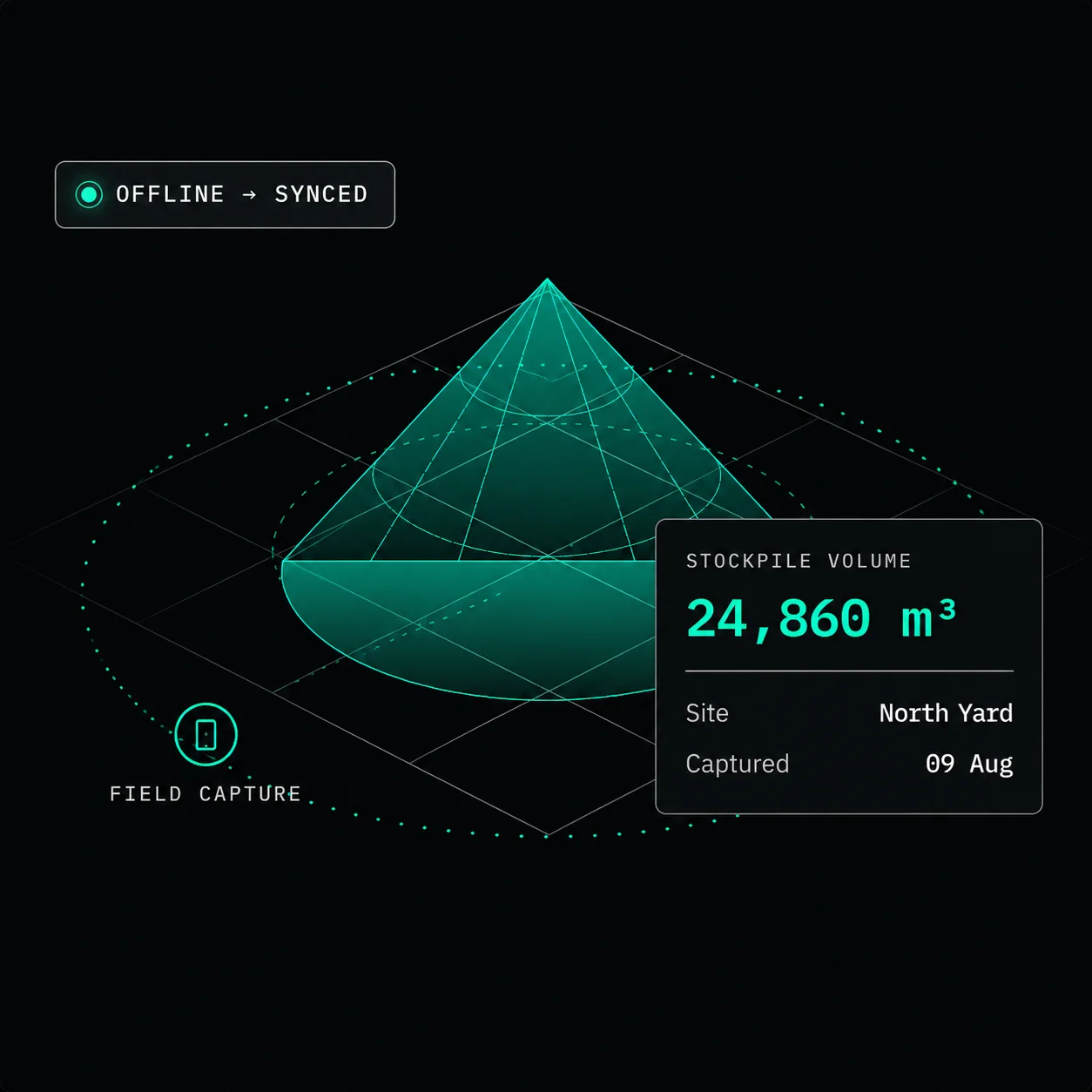
Modern mobile scanning reduces stockpile survey time to just minutes per pile, not days.
Survey-Grade Accuracy
Achieve reliable stockpile volume estimation within ~5-10% variance across operational conditions.
Anywhere Operation
Conduct offline stockpile measurement in remote environments without GPS or network coverage.
HOW IT WORKS
01
Capture
Walk the stockpile perimeter with your phone. The AR engine maps the pile in 3D as you move — no GPS, no network required.
02
Process
On-device AI converts the point cloud into a volumetric model. Calculation runs locally — results are instant, even offline.
03
Verify
Review the volume figure, 3D overlay, and variance estimate on-screen before leaving the site. Catch anomalies immediately.
04
Report
Sync when connectivity returns. Volume data, survey metadata, and exports push to your ERP, spreadsheet, or operations dashboard.
FIELD OPERATIONS
GuideXR Stockpile is designed around the way field teams actually work — on mobile devices, at operating sites and sometimes with limited connectivity.
MOBILE
Mobile-first
OFFLINE
Offline capture
Capture measurements where connectivity is limited and synchronize automatically when you are back online.
NO GPS
No GPS required
Routine stockpile measurements do not require dedicated GPS equipment or base stations.
NO DRONE
No drone required
FIELD → OPERATIONS
GuideXR Stockpile creates a digital measurement record from every field capture, giving operations teams a clearer view of stockpile volumes across sites and over time.
FIELD
Capture
Site
Stockpile
Material
MEASUREMENT
24,860 m³
Volume
Date
Measurement
OPERATIONS
History & tracking
Records
Comparison
Reporting
Track
Capture every stockyard, ROM pad, or aggregate pile on demand and build an accurate record in minutes.
Compare
Verify as-built volumes against design targets to reduce underbreak or overbreak risk.
Organize
Structure stockpile and material data to support accurate material balance and operational planning.
Report
Reallocate haul resources and adjust dispatch plans using real-time stockyard conditions.
ONE WORKFLOW
Field teams get a simple mobile measurement workflow. Operations teams get structured measurement records that can be used to track stockpile inventory and support operational decisions.
FIELD OPERATOR
For field teams
- Simple mobile workflow
- Fast field capture
- Offline capability
- Stay on stable ground, no hazardous climbs
OPERATIONS MANAGER
For operations teams
- Measurement history
- Site and stockpile organisation
- Historical comparison
- Spot haul-cycle imbalances before they bottleneck
PLANS
Choose the plan that fits your team.
From getting started to enterprise-scale deployments, pick the plan that matches how your team measures.
Start
POPULAR
Everything you need to start measuring stockpiles digitally.
- 300 scans / 30 days
- 100 scan retries
- Unlimited users
- Unlimited materials & locations
Best for: Single-site teams getting started
Get Started
Scale
For teams running frequent surveys across multiple sites.
- 1,200 scans / 30 days
- 100 scan retries
- Unlimited users
- Unlimited materials & locations
- Web portal
- Scheduled reports
Best for: Growing, multi-site operations
Get Started
Enterprise
Built for large-scale deployments across sites and operations.
- Custom scan volumes
- Custom user limits
- Unlimited materials & locations
- Dedicated support
- Volume pricing
- Priority onboarding
- Custom SLAs
Best for: Enterprise-wide deployments
Ask for Pricing
TECHNICAL CAPABILITIES
Mobile-First AR Measurement
Capture detailed stockpile geometry using your smartphone or tablet with real-time spatial guidance, enabling fast and accurate stockpile volume estimation.
Enterprise-Grade Security
Built by an ISO 9001 & ISO 27001 certified organization and independently audited to meet enterprise-level application security standards.
Real-Time Visual Scan Feedback
Monitor scan coverage, capture accuracy, and data quality in real time during field surveys to ensure reliable stockpile measurement results.
Increased Accuracy in Volume Estimation
Generate high-resolution 3D meshes and calculate aggregate material volumes in near real-time with enhanced estimation precision.
Location Tagging & Audit Traceability
Automatically record GPS coordinates, timestamps, and survey metadata to support compliance, audit readiness, and operational traceability.
Flexible Data Exports
Export 3D mesh models and stockpile metadata for seamless integration with mine planning tools, GIS platforms, and reporting dashboards.
INDUSTRIES
MINING
Measure and track stockpiles across mine sites and support more frequent inventory measurement.
QUARRIES & AGGREGATES
Capture aggregate stockpile volumes and maintain measurement records across quarry operations.
CEMENT MANUFACTURING
Support raw material and finished material stockpile measurement and inventory tracking.
PORTS & BULK MATERIALS
Measure and track bulk material storage across yards and handling facilities.
FREQUENTLY ASKED
Questions we hear most
What is stockpile measurement?
Stockpile measurement is the process of calculating the volume of materials such as ore, coal, aggregates, or sand stored in stockpiles. GuideXR Stockpile uses mobile AR technology to generate accurate 3D models and estimate stockpile volumes directly from your smartphone.
How accurate is GuideXR Stockpile?
GuideXR Stockpile delivers a typical volume variance of less than 5% under recommended scanning conditions. The app generates detailed 3D models that provide reliable stockpile volume estimates for inventory management and operational planning.
Can GuideXR Stockpile work offline?
Yes. GuideXR Stockpile supports offline stockpile measurement in remote mining and aggregate sites. You can complete scans without network coverage and automatically sync data when connectivity is restored.
Does GuideXR Stockpile require drones or GPS?
No. GuideXR Stockpile performs mobile AR-based stockpile measurement using your smartphone. It does not require drones, GPS equipment, GNSS receivers, or additional survey hardware for typical stockpile surveys.
Which industries use GuideXR Stockpile?
GuideXR Stockpile is designed for mining, quarrying, aggregates, construction materials, and other industries that require fast, accurate stockpile measurement and inventory management.
Is GuideXR Stockpile free to download?
Yes. GuideXR Stockpile is free to download on supported iOS and Android devices. Organizations evaluating enterprise deployments or multi-site rollouts can contact the GuideXR team for additional support and deployment options.
Which devices are supported?
GuideXR Stockpile supports compatible iOS and Android smartphones with AR capabilities. For the best experience, use a device that meets the minimum hardware and operating system requirements listed on the App Store or Google Play.
I have a feature request. Whom should I contact?
We are continuously improving our stockpile measurement software based on user feedback. You can contact the GuideXR team to share feature requests or product suggestions, and our team will get in touch with you shortly.
Can I use GuideXR while operating machinery?
No. For site safety and accurate data capture, the GuideXR app is strictly designed for use on foot during planning activities, or when heavy machinery and equipment are completely stationary.
Adopt next-generation stockpile measurement technology to empower teams with faster, safer, and more accurate inventory decisions